
Review the scope
Check the project reference, source files, page count, delivery format and deadline. Ask for clarification through the official contact if an instruction is unclear.
Projects · Submissions · Payments
Understand the journey from receiving project instructions to submitting work and reviewing payment details. Explore the sample screens, then try the free E-Book Typing Demo.
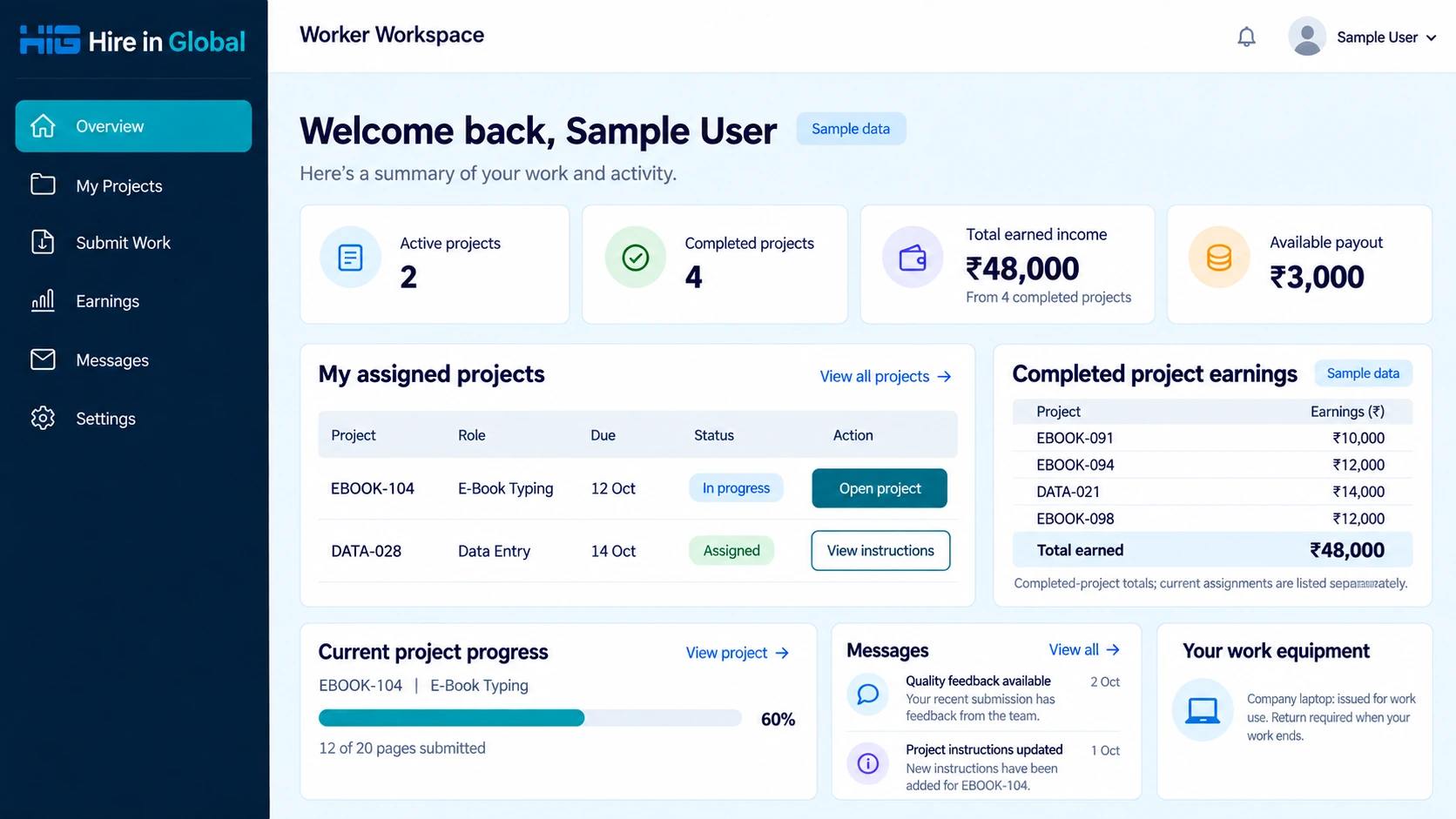
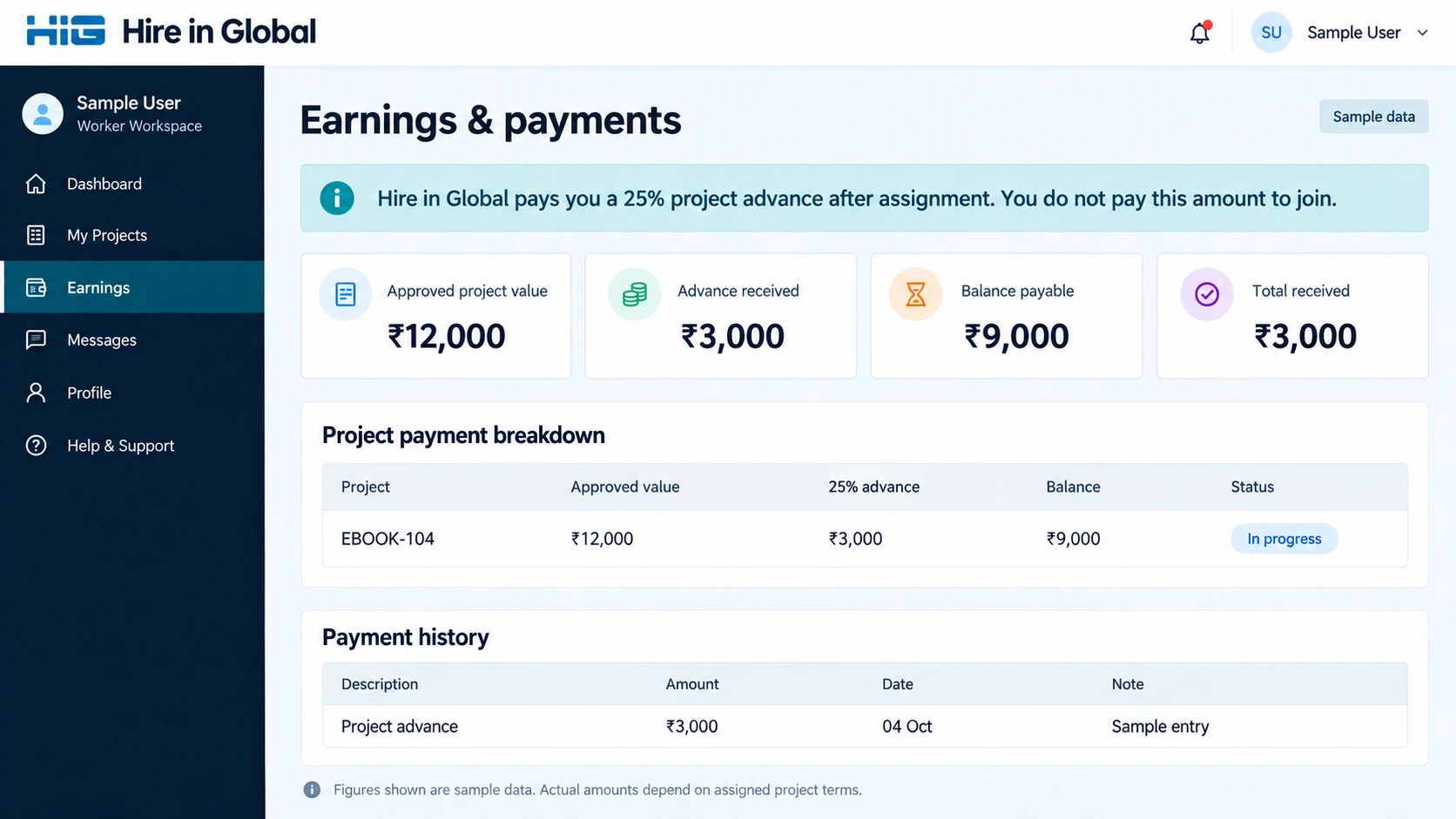
Dashboard images below show sample data for explaining the workflow. They are not applicant records, payment proofs or a statement of anyone’s actual earnings.
01 · Official instructions
After recruitment and project assignment, follow the official access instructions supplied by Hire in Global. Read your project scope, delivery requirements, quality criteria and payment terms before starting. Use the access details provided for your own work; the public demo ID is only for practice.
For the demo, use HIGDEMO and password 123456. You can practise without sharing your email, mobile number or bank information.
02 · Your work at a glance
The overview brings assigned projects, due dates, progress and messages together. Earnings from completed projects are shown as a total, with individual project amounts available in the breakdown.
03 · Read, prepare, work
Check the project reference, source files, page count, delivery format and deadline. Ask for clarification through the official contact if an instruction is unclear.
For e-book typing, carefully reproduce the supplied text and follow the assigned formatting rules. Other roles use the instructions and tools specified for that project.
Review spelling, missing words, punctuation, file names and required sections. Keep source references together so the team can review your work efficiently.
The typing demo uses a short handwritten passage. Intentionally make a small mistake to see how the practice report identifies a source line, the correct word and your entry.
04 · Delivery and feedback
Submit original project work using the delivery method in your official project instructions. Check that the correct files and project reference are included. Review quality feedback and complete any requested corrections under the agreed instructions.
In the demo, select Submit demo work to see your local character-accuracy score and line-by-line differences immediately. This practice calculation is explained beside the report. An original project’s review follows the quality rules supplied with that project.
05 · Clear payment details
Keep the approved value, advance received, remaining balance and payment history distinct. A current project’s value is different from total income earned across completed projects.
06 · Account and equipment
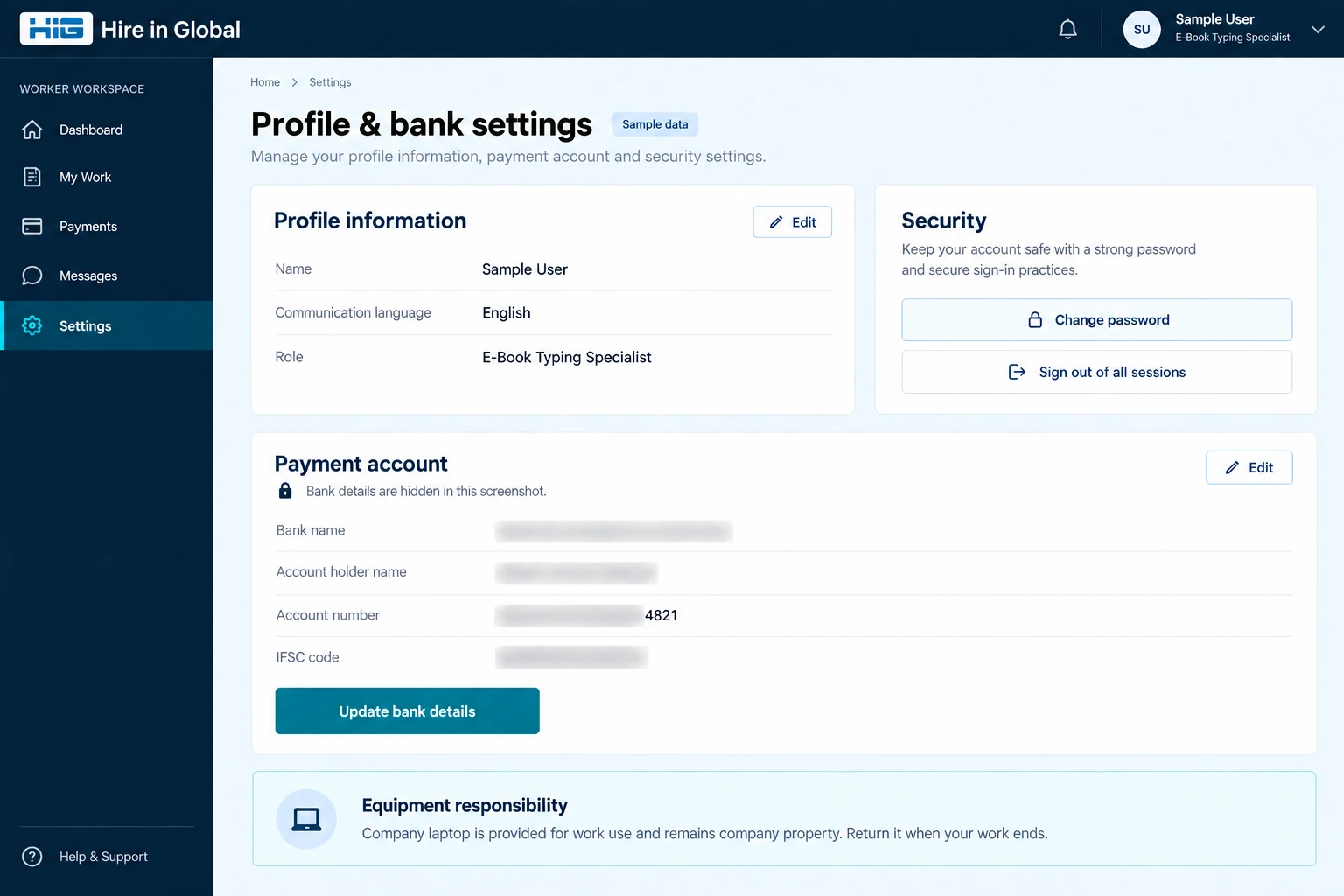
Keep your contact and payment information accurate. Provide bank account details only through the official process when requested for payment. Never share an OTP, UPI PIN, banking password or card security code.
For official support, visit Contact Us. Read the Fraud Alert, Privacy Policy and Terms. Report suspected cyber fraud through cybercrime.gov.in or call 1930.